The SuperBox in Your Living Room Might Be a Botnet Node
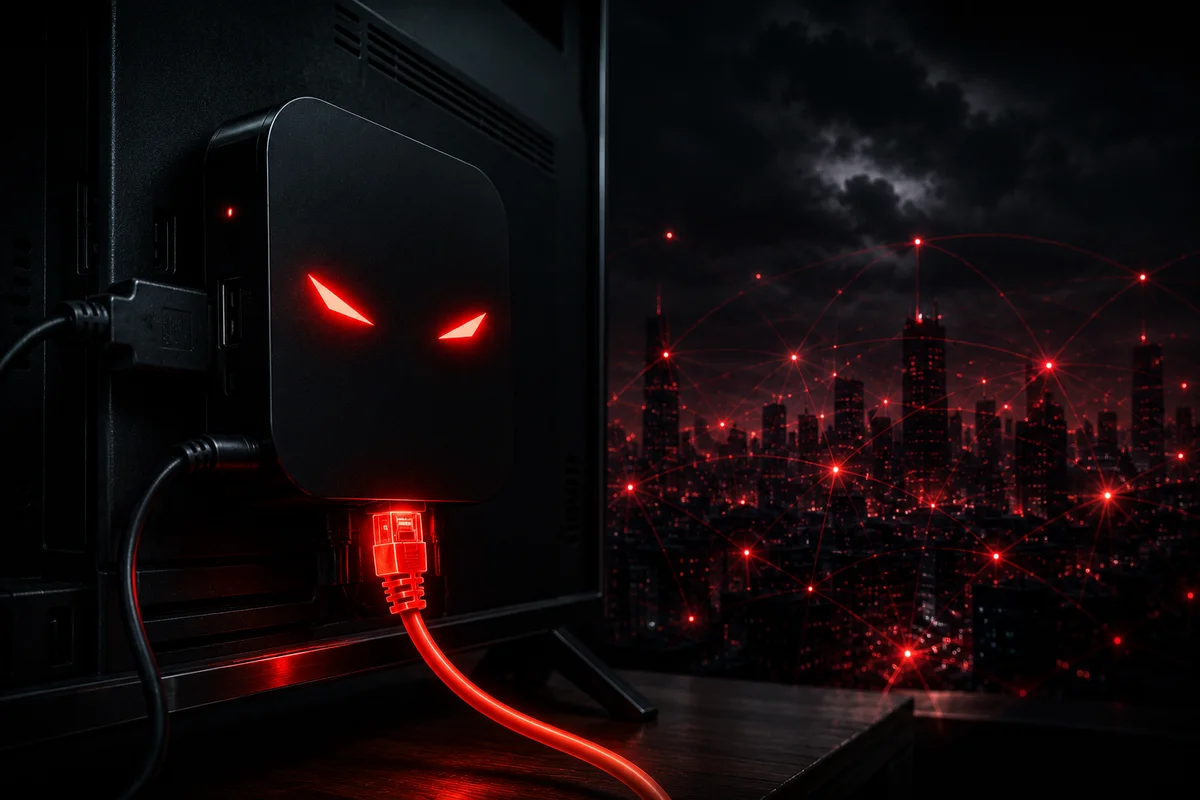
You Know the Pitch
"It pays for itself. $400 one time and you get Netflix, ESPN, everything. No monthly bills. My uncle's neighbor's cousin has one and loves it."
If you've heard this pitch at a family gathering, you're not alone. Streaming boxes like SuperBox have become the go-to gift in certain circles — pushed at retail stores like Best Buy and Walmart1, advertised on YouTube, and passed around between relatives who just want to watch their shows without ponying up $180 a month for cable.2
I stopped counting how many times people tried to sell these to me. I kept saying no. I didn't love the copyright implications, but honestly, I'm in cybersecurity — I said no mostly because something felt off about a $400 box that somehow delivers everything for free.
Turns out my gut was right. And it's worse than I thought.
Darknet Diaries Episode 172: The Story Behind SuperBox
Darknet Diaries Episode 1723 is worth a full listen, but here's the short version: a security researcher going by the handle "D3ada55" bought a SuperBox to see what it actually did. Not because she wanted free movies — because she wanted to understand what was running inside the device.
What she found was deeply unsettling.
The moment you power on a SuperBox, it immediately starts making outbound connections to servers in China — specifically Tencent QQ, the instant messaging platform used widely in China. It also connects to a residential proxy service called Grass IO (getgrass.io). Without your knowledge. Without your consent. And without any way to see it happening from your home network.
These devices aren't just piracy boxes. They're residential proxy nodes — and the traffic that routes through your home internet connection can include advertising fraud, account takeover attempts, and God knows what else. The device essentially turns your home network into a exit node for criminal activity.
The FBI Says This Is a Botnet
The FBI and Department of Justice aren't speculating. On June 5, 2025, the FBI Internet Crime Complaint Center (IC3) issued a formal Public Service Announcement linking these devices to the BADBOX 2.0 botnet.
The advisory specifically calls out:
- TV streaming devices (including SuperBox and similar Android-based boxes)
- Digital projectors
- Aftermarket vehicle infotainment systems
- Digital picture frames
- Other IoT devices manufactured in China
The infection chain is straightforward and largely invisible to the average user:
- Pre-installed malware: Some devices ship with malicious software already configured. You take it out of the box, plug it in, and it's already compromised.
- Setup app infection: For devices that require initial configuration, the apps you download during setup contain backdoors. You think you're installing a media player. You're actually installing a proxy client.
- Network integration: Once connected to your home network, the device becomes a residential proxy — relaying other people's internet traffic through your IP address.
- Botnet participation: The device can receive commands, update its payload, and participate in coordinated attacks or fraud schemes without you ever knowing.
How Bad Is This, Really?
Let me be direct: if you have one of these devices on your network, your home IP address is being used as an exit node for internet crime. That traffic originates from your internet connection. In the wrong investigation, that traffic can be traced back to your home.
Brian Krebs at Krebs on Security spoke with security researchers who purchased SuperBox devices off the shelf at Best Buy and analyzed them in a malware lab. Their findings were consistent: the devices were phoning home to Chinese infrastructure and to Grass IO, a residential proxy service.
Grass IO's pitch is innocent enough — they position it as a way to monetize your unused bandwidth for AI training data and market research. But as the IC3 advisory makes clear, the actual traffic flowing through these residential proxies is tied to criminal activity including advertising fraud and account takeovers.
The SuperBox company itself is careful to say they don't pre-install any piracy apps. That's technically true — they just replace Google's official Play Store with an unofficial app store that serves as the delivery mechanism for the proxy software. It's a plausible deniability architecture designed by people who very much know what they're doing.
How to Know If You Have One
Look around your home. These devices typically look like small Android TV boxes — rectangular, around the size of a deck of cards, with a power LED and HDMI output. Common brands and model lines include:
- SuperBox (the most aggressively marketed)
- Mecool devices
- X96 series
- Rocktek devices
- Various unbranded Android TV boxes sold on Amazon, eBay, or at big box stores
Red flags that suggest the device may be compromised:
- During setup, you're asked to replace or supplement Google's official Play Store
- The device has an "App Store" or "Blue TV Store" that isn't Google's Play Store
- You were told during setup to enable permissions that seemed unnecessary for streaming
- The device maker is based in or ships from China
- The one-time purchase price seems too low for the content allegedly available
What to Do Right Now
If you recognize one of these devices in your home, here is the step-by-step process to remove it safely and secure your network.
Step 1: Unplug It Immediately
Do not just power it off. Unplug it from the wall. Powering it off does not stop it from running — these devices can maintain network connections even in a low-power state. Physically disconnect the ethernet cable if it has one, and unplug the power.
Step 2: Check Your Router for Unknown Devices
Log into your home router. This is usually done by opening a browser and going to 192.168.1.1 or 192.168.0.1. Look for the "Connected Devices" or "DHCP Clients" page. Look for any device you don't recognize — especially anything with a manufacturer name you don't know, or devices that appeared around the same time you got the streaming box.
Write down the MAC address of any unknown device. If the suspicious device has a MAC address starting with unusual prefixes associated with Chinese manufacturers (common ones to look for: Realtek, MediaTek, Allwinner chip serial prefixes), that's another red flag.
Step 3: Change Your Router Password
If you've never changed your router's admin password — or if it's still set to the default password on the sticker — change it now. Default router credentials are one of the most common ways attackers maintain persistence on a home network. Use a strong, unique password and write it down somewhere secure.
Step 4: Update Your Router's Firmware
Most people never do this, but router firmware updates patch known vulnerabilities. Check your router manufacturer's support site for firmware updates and apply any that are available. If your router is more than 5 years old and no longer receives firmware updates, that router should be replaced — it's a security liability at that point.
Step 5: Enable Guest Network for IoT Devices
If you have other smart home devices — cameras, thermostats, smart speakers — these should be on a separate guest network, isolated from the computers and phones where you do banking and work. Most modern routers support this. If yours doesn't, consider getting a router that does. This limits the blast radius if any single IoT device is compromised.
Step 6: Scan Your Network
Run a network scan from a computer on your network. A free tool like Angry IP Scanner (angryip.org) or Fing (available as a phone app) will show you every device on your network, its IP address, and its MAC address manufacturer. Anything you don't recognize needs investigation.
Step 7: Notify Your ISP
This one is uncomfortable but important. If your residential IP was used as an exit node for criminal activity, your ISP may receive legal requests or abuse complaints tied to your IP address. Contact your ISP's abuse department and document that you have identified and removed the compromised device. This creates a paper trail showing you acted in good faith once you learned of the issue.
Step 8: Consider a Fresh Start for Your Network
If this device was on your network for an extended period, the safest recommendation is to factory-reset your router and change your router's admin password, then reconfigure it from scratch. Yes, that's a pain. It's also the only way to be certain the device didn't modify router settings, add DNS overrides, or install static routes that survive a simple reboot.
What to Do With Your TV Going Forward
You still want to watch TV. That's reasonable. Here's the honest comparison:
- Roku — US-based company, Google's Play Store ecosystem, regularly patched, no residential proxy behavior ever documented
- Apple TV — Most locked-down option, strong privacy posture, US-based
- Nvidia Shield — Google's Android TV platform, reliable updates, no sketchy app stores by default
- Chromecast with Google TV — Google's official platform, Play Store only
The bar is: if the device requires you to install an "alternative app store" during setup, that's your signal to walk away. Official Android TV devices from name-brand manufacturers use Google's Play Store exclusively. They cannot install apps from random third-party APK repositories without deliberately bypassing security settings.
The uncomfortable truth
These devices are not a gray market curiosity. The FBI has formally linked them to an active botnet operating at global scale. The people selling them at Best Buy and Walmart are not telling buyers what they're actually purchasing — a node in a criminal infrastructure that happens to also play movies.
The person who pitched this to your parents at Thanksgiving either doesn't know, or knows and didn't mention it. Either way, it's on you to make sure that device is not on your network.
Go unplug it.
Frequently Asked Questions
My friend says they just use it for Netflix and it works fine. Is it still a problem if I'm not using the piracy features?
Yes. The device's proxy behavior runs independently of whatever you're using it to watch. The traffic routing happens in the background whether you're actively streaming or the device is sitting idle. Your IP address is what gets associated with the activity, not the specific app open at the time.
I bought mine from a reputable retailer. Can I still trust it?
Brian Krebs's reporting documented SuperBox devices purchased directly from Best Buy's website showing the same behavior as those bought from third-party sellers. The device itself — regardless of where you bought it — contains the same firmware. Best Buy is a retailer; they're not inspecting the software running inside the boxes they sell.
Does a VPN protect me if I have one of these devices?
A VPN protects your own traffic. It does not prevent a compromised device on your network from routing other people's traffic through your home IP address. The proxy traffic from this device bypasses your computer's VPN entirely — it originates directly from the device itself, which sits on your network alongside your VPN-protected devices.
Is this really as serious as you're making it sound?
The FBI issued a public service announcement about it. Krebs on Security ran a multi-part investigation. Censys — a company that maps internet-connected devices globally — has these devices in their malware lab. This is not paranoia. This is a documented, active threat.
Who can I contact if I need help securing my home network?
Wolfgang Solutions offers home network security assessments for families and small businesses in the Utah Wasatch Front area. If you're outside that area or need remote support, we can still help you evaluate your setup. Reach us at [email protected] or call (801) 796-2335.
References
-
Krebs on Security — Is Your Android TV Streaming Box Part of a Botnet? (November 24, 2025) ↩
-
FBI IC3 — PSA250605: Streaming Devices (June 5, 2025) ↩
-
Darknet Diaries — Episode 172: SuperBox ↩
Frequently Asked Questions
- What is SuperBox and why is it dangerous?
- SuperBox is an Android-based TV streaming device sold at Best Buy and Walmart that promises unlimited access to Netflix, ESPN, and 2,200+ other channels for a one-time $400 fee. Security researchers discovered these devices run residential proxy software that routes other people's internet traffic through your home IP address — without your knowledge. That traffic is linked to advertising fraud, account takeovers, and other criminal activity. The FBI formally linked these devices to the BADBOX 2.0 botnet in June 2025.
- How do I know if I have a compromised streaming device?
- Look for Android TV boxes that require you to install an unofficial 'App Store' or 'Blue TV Store' during setup (instead of Google's official Play Store). Check your router's connected devices list for unknown devices. Red flags include: devices made by unknown manufacturers, devices purchased from third-party sellers even at major retailers, and boxes that advertise 'no monthly fees' for premium streaming content.
- Will a VPN protect my home network from compromised streaming devices?
- No. A VPN protects the traffic from your computer or phone. A compromised streaming device on your network bypasses your VPN entirely — the malicious traffic originates directly from the device itself, routing through your router using your home IP address. The only fix is removing the device from your network.
- What should I replace my streaming box with?
- Stick with mainstream US-based platforms: Roku, Apple TV, Nvidia Shield, or Chromecast with Google TV. These all use Google's official Play Store ecosystem, receive regular security updates, and have no documented residential proxy behavior. If a device asks you to install an alternative app store during setup, that's a sign to return it.
- Can Wolfgang Solutions help me audit my home network?
- Yes. We offer home network security assessments that include device inventory, router hardening, WiFi security review, and IoT device isolation setup. Contact us at [email protected] or (801) 796-2335.