How to Protect Yourself From AI Scams in 2026
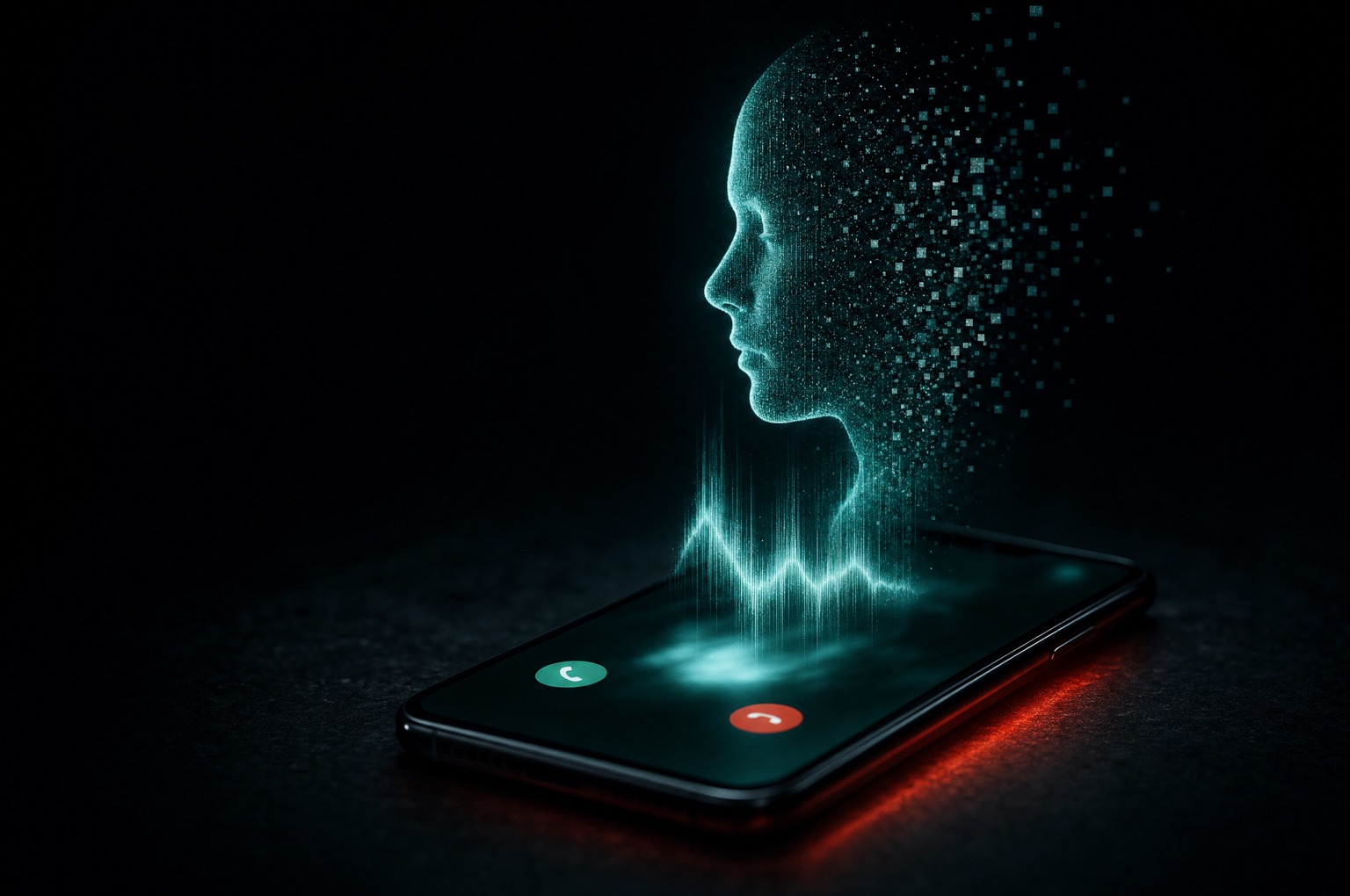
Your phone rings. It's your son. He's crying, he's been in an accident, and he needs money right now. Please don't tell Dad.
It sounds exactly like him. It might not be him.
That's the shift AI brought to scams. Not robot overlords. Not some movie-hacker breaking into your bank with a glowing keyboard. Just the same old tricks (urgency, fear, a request for money or a login) delivered in a voice you trust, a face you recognize, or an email with zero typos.
The good news: the defenses are mostly free, mostly low-tech, and work no matter how good the AI gets. This post is the playbook we'd give our own families.
The short answer: To protect yourself from AI scams, stop trusting how a message looks or sounds and start verifying what it asks for. Set a family safe word, hang up and call back on a number you already have, never move money or share codes under pressure, and lock down your email, phone number, and bank accounts with passkeys or app-based MFA.
What AI Actually Changed (and What It Didn't)
For the first time, the FBI's annual Internet Crime Report includes a section on artificial intelligence.1 In 2025, the IC3 logged 22,364 complaints involving AI, with more than $893 million in reported losses.2 The FBI says the real number could be higher, since complaints are only flagged as AI-related when victims mention it, and many victims don't realize AI was involved.21
Here's how AI shows up in those complaints:
- Voice clones. "Distress" scams, where a cloned voice of a grandchild or relative begs for help, cost victims more than $5 million in reported losses in 2025.2
- Fake executives. Chat tools write convincing emails that sound like your CEO. Voice cloning backs them up with a phone call. Businesses reported over $30 million in AI-involved business email compromise losses.2
- Fake investment pitches. AI-generated videos of celebrities and "financial experts" pushing investment clubs. This was the biggest category by far: more than $632 million in AI-linked investment losses.2
- Polished phishing. No more broken English. AI writes clean, personalized messages at scale, in any language.
What didn't change? The ask. Every one of these scams still ends with you doing something: sending money, reading back a code, clicking "Allow," installing an app, or handing over a password. That's where you win.
The One Rule That Beats Almost Every AI Scam
If a message asks you to move money, share a code, sign in, or change something important, verify it through a channel you already trust. Not the one the message gave you.
Hang up and call the number saved in your contacts. Text the person directly. Log into your bank by typing the address yourself. Walk down the hall.
The AI can fake the voice. It can't answer the phone at your daughter's actual number.
Everything below builds on that rule.
1. Set Up a Family Safe Word (and Use It Correctly)
The FCC, BBB, INTERPOL, and state attorneys general all recommend the same thing: agree on a secret word or phrase with your family ahead of time.3456 If someone calls claiming to be a loved one in trouble and can't give the word, treat it as a scam.
A safe word only works if you set it up right:
- Pick something unguessable. Not your street, your pet, your mascot, or anything on Facebook. A short random phrase, like three or four unrelated words, works well.
- Share it in person. Don't text it or post it in the family group chat.
- Make the caller say it first. This is the part people miss. Scammers will say "I'm so upset I can't remember the password, just tell me." The Identity Theft Resource Center has seen cases where victims volunteered the word themselves.7 Don't.
- Rehearse it once. Especially with older parents and grandparents. A two-minute practice run beats a perfect plan nobody remembers.
Want a backup? Agree that nobody in the family will ever ask for money by phone without a callback. Then any urgent money call is a scam by definition.
2. Treat Voice and Video as Unverified
A familiar voice used to be proof. It isn't anymore. Caller ID isn't either; scammers can spoof a loved one's number.6
Deepfake video calls are less common than voice clones, but they're real, especially in business fraud where someone "from leadership" jumps on a video call and asks for an urgent wire.
You'll see lists of deepfake tells: odd blinking, lips slightly out of sync, smudgy edges around hair and glasses, audio that doesn't match a cough or a laugh. Those can help. But the tech improves every month, and you shouldn't bet your savings on spotting a glitch.
What works better:
- Hang up and call back on a number you already have.
- Ask something only the real person would know, and that isn't online.
- Slow it down. "I'll call you right back" is a complete sentence. Real family and real bosses can wait five minutes. Scammers can't afford to.
3. Judge Messages by the Ask, Not the Polish
The old phishing advice was "look for typos." Retire it. AI-written phishing is clean, relevant, and often references real people and real projects.
The better question is: What is this message asking me to do?
Be suspicious of any email, text, DM, or QR code that pushes you to:
- Pay with gift cards, crypto, wire transfer, or a payment app
- Read back or forward a verification code
- "Re-verify," "reconnect," or sign in through a link
- Approve access for an app (that "Allow" button can be just as dangerous as a password, as we covered in our OAuth phishing breakdown)
- Install software, a browser extension, or a "security update"
- Keep it secret or act right now
Real banks don't ask for your codes. Real government agencies don't take gift cards. A real package delivery doesn't need your card number to "release" a box.
If you want the business version of this, our June 2026 cybersecurity news recap walks through why AI phishing is now an operations problem, not a training slide.
4. Lock Down the Accounts That Unlock Everything
Most people get "hacked" through a few accounts that control the rest. Protect these first, and AI-powered password guessing and phishing kits lose most of their power.
Your email. Whoever controls your email can reset almost every other password you have. Give it a unique password and the strongest sign-in option available.
Use passkeys where you can. Google, Apple, Microsoft, and a growing list of banks and retailers support them. Passkeys are tied to your device and the real website, so a fake login page can't capture them. That makes them far more phishing-resistant than a password plus a texted code.
Use a password manager for everything else. One strong master password, a unique password for every site. Reused passwords are how one breach at a random shopping site turns into someone in your bank account.
Turn on MFA, and prefer an authenticator app or security key over text messages. SMS codes beat nothing. They're just the weakest option.
Protect your phone number. Call your carrier and turn on their number lock or port-out PIN. That makes it much harder for someone to hijack your number and receive your codes.
Freeze your credit. It's free at Equifax, Experian, and TransUnion, takes a few minutes each, and stops scammers from opening new accounts in your name. You can unfreeze it any time you need to apply for credit.
Turn on bank and card alerts. Get a text or push notification for every transaction over a small amount. The faster you see fraud, the better your odds of reversing it.
Keep your devices updated. Turn on automatic updates for your phone, computer, and browser. Boring. Effective.
So, can AI hack your bank account? Not by magic. What it does is make scams faster and more convincing, and make it easier to try stolen passwords at scale. Unique passwords, passkeys, and alerts shut most of that down.
5. Be Careful What You Let AI Tools See and Do
AI tools aren't just used against you. The ones you use can become a way in.
Don't paste sensitive data into chatbots. Tax documents, medical records, account numbers, client files, passwords. Assume anything you paste could be stored or reviewed. Check the tool's privacy settings, and turn off training on your data if the option exists.
Be careful with AI agents and AI browsers. Tools that can browse, click, and fill out forms for you are useful. They can also be tricked by prompt injection: hidden instructions on a web page, in an email, or in a document that the AI reads and follows. Google's own help docs warn that a malicious instruction could tell an agent to send your emails or private info somewhere else.8 OpenAI gives similar guidance.9
Practical rules if you use them:
- Use them logged out, or in a separate browser profile, when the task doesn't need your accounts.
- Give specific instructions ("find three flights under $400"), not open-ended ones ("handle my inbox").
- Read every confirmation before it sends, buys, or deletes anything.
- Don't let an agent anywhere near your banking, email, or password manager unattended.
Watch out for fake AI apps. Scammers love the AI hype. Download AI apps and browser extensions only from the official developer, through the official app store, and be skeptical of anything promising "free premium" access.
If your team is using AI at work and you're wondering where your client data is ending up, that's a different problem. It's exactly what our AI security work covers.
6. Shrink Your Public Footprint (Within Reason)
Voice clones and convincing phishing both feed on public information. You don't need to disappear from the internet, but a few adjustments help:
- Set personal social accounts to private, and keep followers to people you actually know.
- Think twice about long, clean videos of yourself talking on public accounts, especially if you're the person who approves payments at work.
- Don't post travel plans in real time. "Grandparent" scams work better when the real grandkid is known to be out of the country.
- Use fake-but-memorable answers for security questions (store them in your password manager). Your mother's maiden name is probably findable.
If You Think You've Been Scammed or Hacked
Speed matters more than embarrassment. Everyone can get fooled; the people who recover are the ones who act fast.
- Call your bank or card issuer immediately using the number on the back of your card. Ask them to stop or reverse the payment.
- Change passwords from a device you trust, starting with your email, then banking. Sign out of all other sessions.
- Check for changes the scammer made: forwarding rules in your email, new recovery phone numbers, unknown apps with account access.
- Freeze your credit if you shared your Social Security number or ID.
- Report it to the FBI at ic3.gov and the FTC at reportfraud.ftc.gov. If gift cards were involved, contact the card company too.
- Tell your family. Scammers often hit the same household twice.
Your 15-Minute AI Safety Checklist
- Pick a family safe word and share it in person
- Agree: no money moves on a phone call without a callback
- Turn on passkeys or app-based MFA for your email and bank
- Install a password manager and fix your most-reused password
- Turn on your carrier's number lock / port-out PIN
- Freeze your credit at all three bureaus
- Turn on transaction alerts for your bank and cards
- Turn on automatic updates on your phone and computer
- Set personal social accounts to private
None of these require you to understand how AI works. They just take away what scammers need.
Running a Business? The Same Rules Apply, With Higher Stakes
Everything above works at the office too. Swap "family safe word" for a callback rule on every wire, vendor bank change, and payroll update. If a request came by email, verify it by phone, not by replying to the same thread.
For the business side of AI-enabled attacks, start with how AI is changing ransomware and the five cybersecurity mistakes we see most. Got questionable gadgets on the home Wi-Fi? Our SuperBox post covers cleaning up a home network.
Want a Second Set of Eyes?
If you want to know where you or your business actually stand, take our free 5-minute Cybersecurity Readiness Survey. Or book a free 30-minute assessment. No sales pitch, just a senior technologist looking at your setup and telling you what we'd fix first.
References
-
The Register, "US cybercrime losses pass $20B for first time as AI boosts online fraud" (April 7, 2026): https://www.theregister.com/security/2026/04/07/fbi-says-cybercrime-losses-hit-record-2087b-in-2025/5223382 ↩ ↩2
-
FBI Internet Crime Complaint Center, 2025 Internet Crime Report, "Artificial Intelligence (AI) Used in Cybercrime": https://www.ic3.gov/AnnualReport/Reports/2025_IC3Report.pdf ↩ ↩2 ↩3 ↩4 ↩5
-
FCC, "'Grandparent' Scams Get More Sophisticated": https://www.fcc.gov/consumers/scam-alert/grandparent-scams-get-more-sophisticated ↩
-
BBB, "How to spot AI-generated content": https://www.bbb.org/scams/spot-a-scam/ai-generated-content ↩
-
INTERPOL, "INTERPOL launches public awareness campaign highlighting risk of AI deepfake scams" (October 2026): https://www.interpol.int/en/News-and-Events/News/2026/INTERPOL-launches-public-awareness-campaign-highlighting-risk-of-AI-deepfake-scams ↩
-
Michigan Attorney General, "AG Nessel Reissues AI Scams Consumer Alert" (March 4, 2026): https://www.michigan.gov/ag/news/press-releases/2026/03/04/ag-nessel-reissues-ai-scams-consumer-alert ↩ ↩2
-
CBS News, "AI voice scams are on the rise. Here's how to protect yourself.": https://www.cbsnews.com/news/elder-scams-family-safe-word/ ↩
-
Google Chrome Help, "Ask Gemini in Chrome to complete tasks for you with auto browse": https://support.google.com/chrome/answer/16821166 ↩
-
OpenAI, "Understanding prompt injections": https://openai.com/safety/prompt-injections/ ↩
Frequently Asked Questions
- How do I protect myself from AI voice cloning scams?
- Set a family safe word, make the caller say it first, and never send money based on a phone call alone. Hang up and call the person back on the number saved in your contacts. Caller ID can be spoofed, so a familiar name on the screen isn't proof.
- How can I tell if a phone or video call is AI?
- Sometimes you'll notice glitches like lips out of sync, flat emotion, or odd pauses, but don't rely on that. The reliable test is verification: end the call, contact the person through a channel you already trust, or ask something only they would know.
- What makes a good family safe word?
- Something random that can't be found online: a short phrase of three or four unrelated words works well. Share it in person, don't write it in a group chat, and agree that the caller has to say it first.
- Can AI hack my bank account?
- AI doesn't magically break into banks. It makes phishing more convincing and helps criminals try stolen passwords at scale. A unique password, passkeys or app-based MFA, a carrier number lock, and transaction alerts block most of those attacks.
- Are AI browser agents safe to use?
- They can be useful, but they can be manipulated by hidden instructions in web pages or emails (prompt injection). Use them logged out when possible, give specific tasks, review every confirmation, and keep them away from your banking and email.
- What should I do if I already sent money to an AI scammer?
- Call your bank or card issuer right away using the number on your card, then change your email and banking passwords from a trusted device. Report it to ic3.gov and reportfraud.ftc.gov. The faster you act, the better your chances of recovering funds.